
Introduction:
This right here is the brand-new Samsung Galaxy Watch 7, and even though the Galaxy Watch Ultra was really the star of the show, this is the watch that I would probably recommend for most people out there. It looks just like the previous Galaxy Watch 6 but actually has quite a few massive improvements inside.
Like I said, this is, in many ways, better than the Galaxy Watch Ultra for most people. It has the same chip inside, the same new bioactive sensor, the same display, and a lot of the same new software, all in a package that is about half the weight and half the price.
Now, this comes in two different colors—green and either cream or silver, depending on the size you get—and there are two different sizes as well. Unlike the Ultra, which only comes in one size, this comes in 40mm or 44mm, so smaller wrists are definitely going to favor this watch. Anyway, when you buy it, there are three different band options available.
There’s a sport band, which I have right here. It’s a soft silicone, and I really like it. It’s very comfortable, though I’m not sure if I’m the biggest fan of the thread accent on either side—the orange and the blue. Likewise, it does match the new Galaxy Buds, though; they have an orange and blue theme going on, so across the lineup, it’s kind of nice to match. But whatever—you can swap out the band very easily. There’s also a fabric or an athleisure band you can get when you pre-order this or order it in any store.
What I really think is pretty beneficial about this compared to the Ultra is that the band removal mechanism is different. The straps on this watch will not work on the Ultra, and the Ultra straps will not work on this. If you flip it over to the back, you’ll see that the Ultra has a new mechanism where you press it, and the whole strap disconnects.

It’s a proprietary strap, and there probably won’t be a lot of third-party options at launch. But this watch uses a very standard strap. When you buy this watch, you can go on Amazon and, the same day, find hundreds of thousands of options available. You can choose any watch strap you want. It’s a very common 20mm pin strap, so you just push a little button to take it off and swap it out for metal, leather, or whatever you want—all at a very cheap price. As I mentioned, this does come in two different sizes.
Basic:
Going to be 20 millimeters either way, and the price of this is also approximately half the price of the Galaxy Watch Ultra. The price of the Ultra is $650, while the Watch 7—the smaller one—starts at $299. So that’s it; that’s literally less than half the price.
Samsung is always running promotions, and I’ll have a link down below. At least in the pre-order phase, I think you can get an enhanced $250 trade-in credit, a free spare band, and a 20% student discount if you are a student, of course.
That helps the channel out if you want to go through that link and get that promotion. I’ll have it in the description and in a pinned comment, at least, if you want to check out the colors and the price and stuff like that.
Also, it’s worth noting that there are two versions available for all sizes here. There is a GPS-only version, which includes Bluetooth, Wi-Fi, and GPS, or the version that also has LTE. If you want to receive phone calls when you’re not connected to your phone or Wi-Fi, the LTE version is usually about an extra $50 added to the price of the watch.
Looking at the body itself, the actual design here is pretty familiar. It’s still an aluminum design, still IP68 water-resistant, and still has five atmospheres of water resistance. The Ultra has 10 atmospheres, so if you’re diving a little deeper, the Ultra will be better.
But for surface water swimming, like swimming laps and stuff like that, this is definitely good enough. We have a sapphire crystal face, and you’ll notice that aluminum is a pretty soft metal. The raised face on here is also a little bit exposed, so I would.

Features:
Definitely recommend being very cautious with this if you're wearing it, for example, rock climbing. I already damaged two similar designs in the past—the Watch 4 and the Watch 2 Active—both while rock climbing. So, definitely be really careful about the edges on here, or maybe just get a case. You can find a case to cover this and kind of protect those edges a little bit as well.
The display is either 1.31 inches or 1.47 inches, obviously depending on the size you get. It's a Super AMOLED, and they both come with about 330 pixels per inch. That's a lot of numbers. Speaking just from experience here, you can see we have a pretty good screen-to-body ratio.
I think it looks nice; it feels nice. The display—I’m happy with it. Samsung always does a pretty good job with their displays, and because we have kind of a space around the outside, that gives us some room to run our finger around there to use the digital rotating bezel.
Because this doesn’t have anything that physically rotates on the watch, it’s a very simple and minimal watch. The digital rotating bezel really helps to navigate the UI, and we’ll get into the UI later in the video, but there is a lot that rotating just helps to navigate. It’s kind of built around that. On the right side, you’ll see we have our two buttons.
This is very familiar. These will be used for your ECG if you want to measure your heart and stuff like that, also for bio impedance to estimate your body composition. And, of course, the buttons do all their normal stuff, which we’ll talk about in the UI segment of this video. Flipping over to the back, we do have a new bioactive sensor on here. This is the same new one we’re seeing on the Watch Ultra, which is awesome to see on the regular Watch 7 here.
And I mean, spoiler—it is very, very accurate, still measuring all the stuff we know, like heart rate, blood oxygen, temperature, things like that. You can estimate cycle tracking and other things like that. But the heart rate tracking—man, it is very, very impressive.
I compared it to a Garmin watch, which is used by a lot of very elite athletes, like the Garmin Epic, for example, and this thing can hold its own. It really keeps up with that. Talking about some other cool things within the software realm of this, there’s a lot that Samsung added here.
There are a couple of things they added only to the Ultra, but looking at this one, the big one they’re talking a lot about is the energy score. This is very similar to Fitbit’s version or Garmin’s body battery. Essentially, it’s going to give you a single number that boils down what it estimates your readiness will be for something strenuous, like a workout.
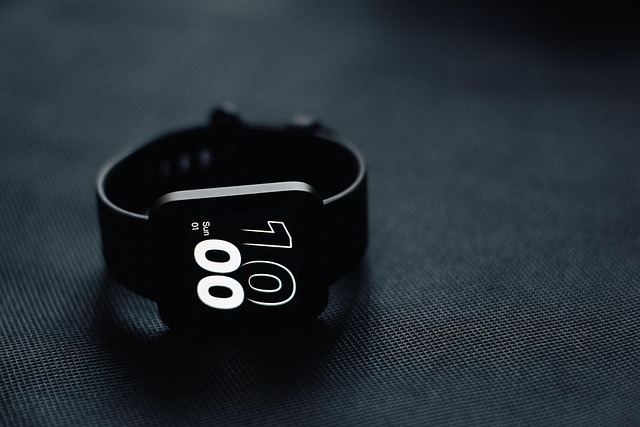
So, if you sleep really well, your score goes up. If you have a lot of stress, your score goes down. If you’ve had a bunch of good workouts and then a nice rest day, you might have a higher score today.
Conclusion:
You could maybe stretch it to two days, but I think most people are going to be charging this maybe every morning when they shower or brush their teeth—just put it on a charger for a little bit so you can still track your sleep and still have the watch running all day long. Kind of getting into a quick little UI tour for anybody who hasn't used a watch like this in the past: essentially, you can touch and hold the watch face, and you'll see we do have a couple of new ones that come with the watch. I really like the one by default; it just looks clean and very minimal.
You can see on the right side, the UV index is the default, and on the left side, my step count, but you can customize those as much as you would like. If you swipe down, our quick settings are still there; they all look the same as they did in the past. If you swipe up from the bottom, these are all our different apps, and of course, you could use that rotating digital bezel, like I said, to navigate this as well as most apps on here. Swiping from the left are your notifications, and from the right are your different widgets.
These are pretty much all the same. You'll see the energy score is over here as well—that is a new one they just added, obviously—and a nice little health profile. You can see your heart rate, your step count, and different things like that. I do wish you could customize this a little bit more. Like this little health snapshot—I love that. I love how you can see four things at once.
I wish you could customize that and choose four different things, maybe like the temperature or different things about the weather or other details like that. If you could customize it, that would be great because we have a pretty nice display here. I think we could show more information than just the energy score—I think that's a little bit of a waste of some real estate there.
But kind of in summary, that's the Galaxy Watch 7. I think there are a lot of improvements. Even though it looks the same as the Watch 6, there's a lot that I really like—not just software improvements, but also some hardware improvements and some accuracy improvements across the board. It's just a better watch compared to the 6.
And in many ways, even though the Watch Ultra is technically a better watch, this is probably a better buy. You're getting basically the same watch, with slightly shorter battery life, but half the weight and about half the price. So all that link down below if you guys want to check out the latest price. Samsung—I can't even—the price has changed so much I don't even know.
When you're reading this, it could be full price; it could be half price; I don't know. But let me know what your thoughts are on the Galaxy Watch 7 and what you would like me to compare it to. If you enjoyed the post. Thanks for reading, and I'll see you in the next post.


